Build the picture.
Read targets, routes, weather, airspace, runway configuration, and aircraft state from one operational display.
PRODUCT / 003 WINDOWS SIMULATION
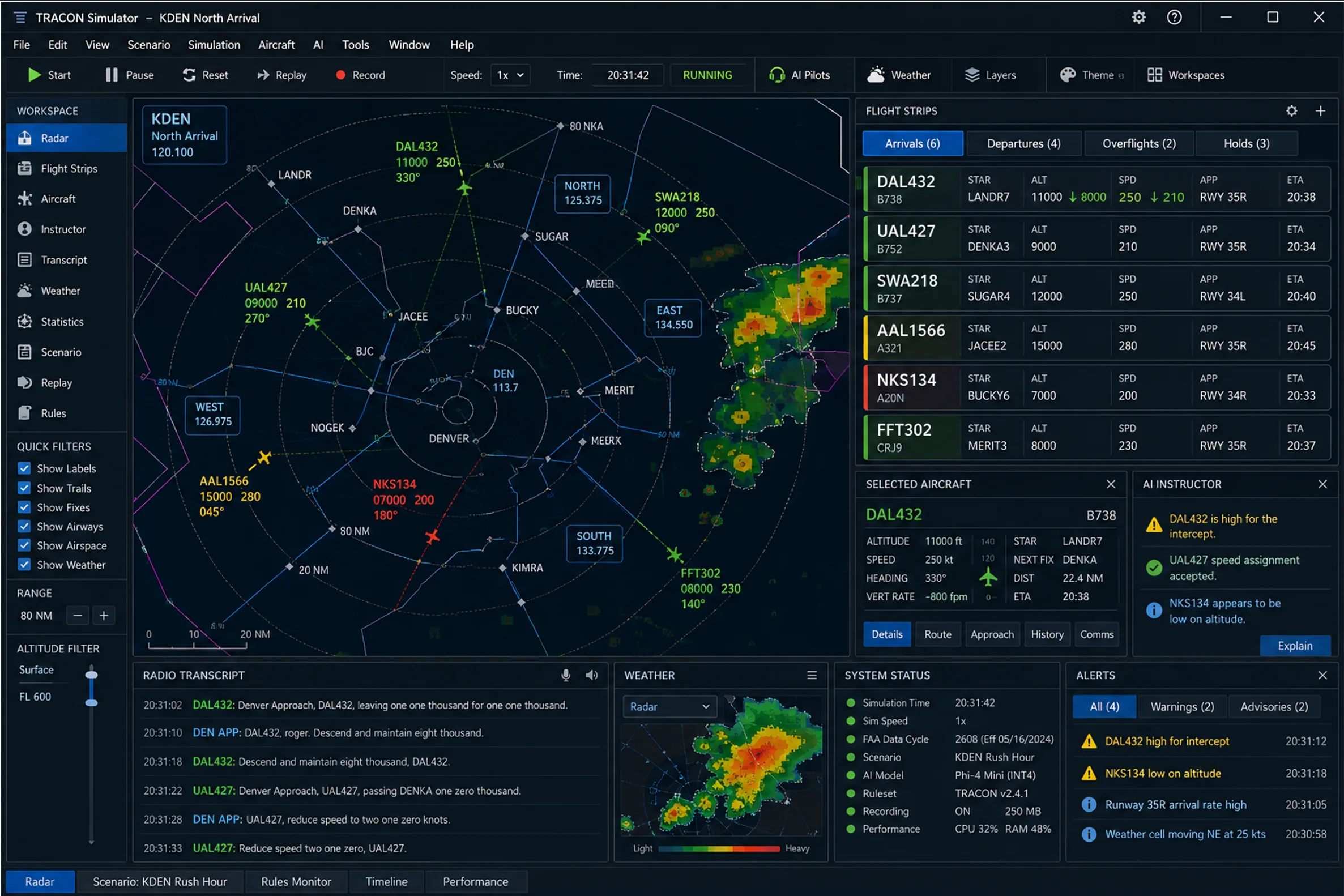
TRACON is a terminal air traffic control simulation built around dynamic traffic, real controller workflows, Full AI Controller Mode, a read-only Training Supervisor, and a complete operational workstation.
TERMINAL AIRSPACE, IN MOTION
Select an airport, establish the active runway configuration, and step into a traffic picture that keeps moving whether you are ready or not.
Autonomous arrivals, departures, overflights, holds, and satellite traffic create a terminal environment that must be understood, sequenced, and controlled.
THE CONTROLLER LOOP
TRACON turns the controller workflow into a continuous operational loop. Every clearance changes what comes next.
Read targets, routes, weather, airspace, runway configuration, and aircraft state from one operational display.
Balance arrivals and departures, manage holds, accept handoffs, and protect the spacing ahead.
Use push-to-talk, typed instructions, or the structured command builder to direct the traffic.
Follow readbacks, conformance, alerts, operational findings, and the next decision in the sequence.
THE WORKSTATION
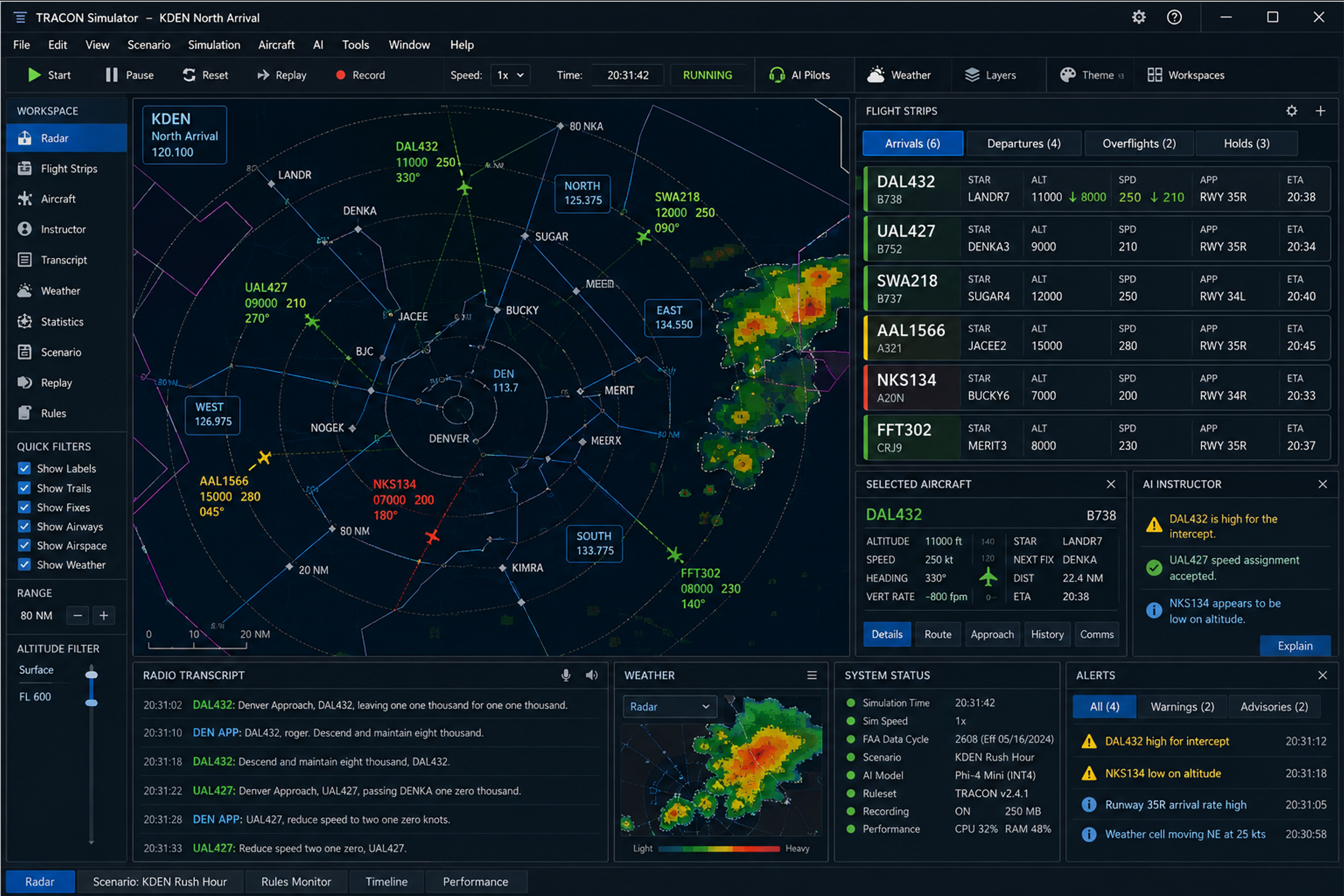
The interface keeps the radar, aircraft sequence, communications, weather, training guidance, and alerts visible as parts of the same operation.
Traffic, navigation, airspace, weather, active runways, flight strips, and system state remain connected around the radar workspace.
AUTOMATION / ACTIVE CONTROL
Full AI Controller Mode can actively work the selected position through TRACON's normal command, validation, radio, and readback path. It is automation with explicit operator authority—not instructional guidance.
FULL AI CONTROLLER MODE
Full AI Controller Mode can work the selected controller position while the simulation continues normally. It schedules eligible clearances, transmits them through the standard radio path, and waits for acknowledgement and aircraft response.
TRAINING SUPERVISOR / READ-ONLY
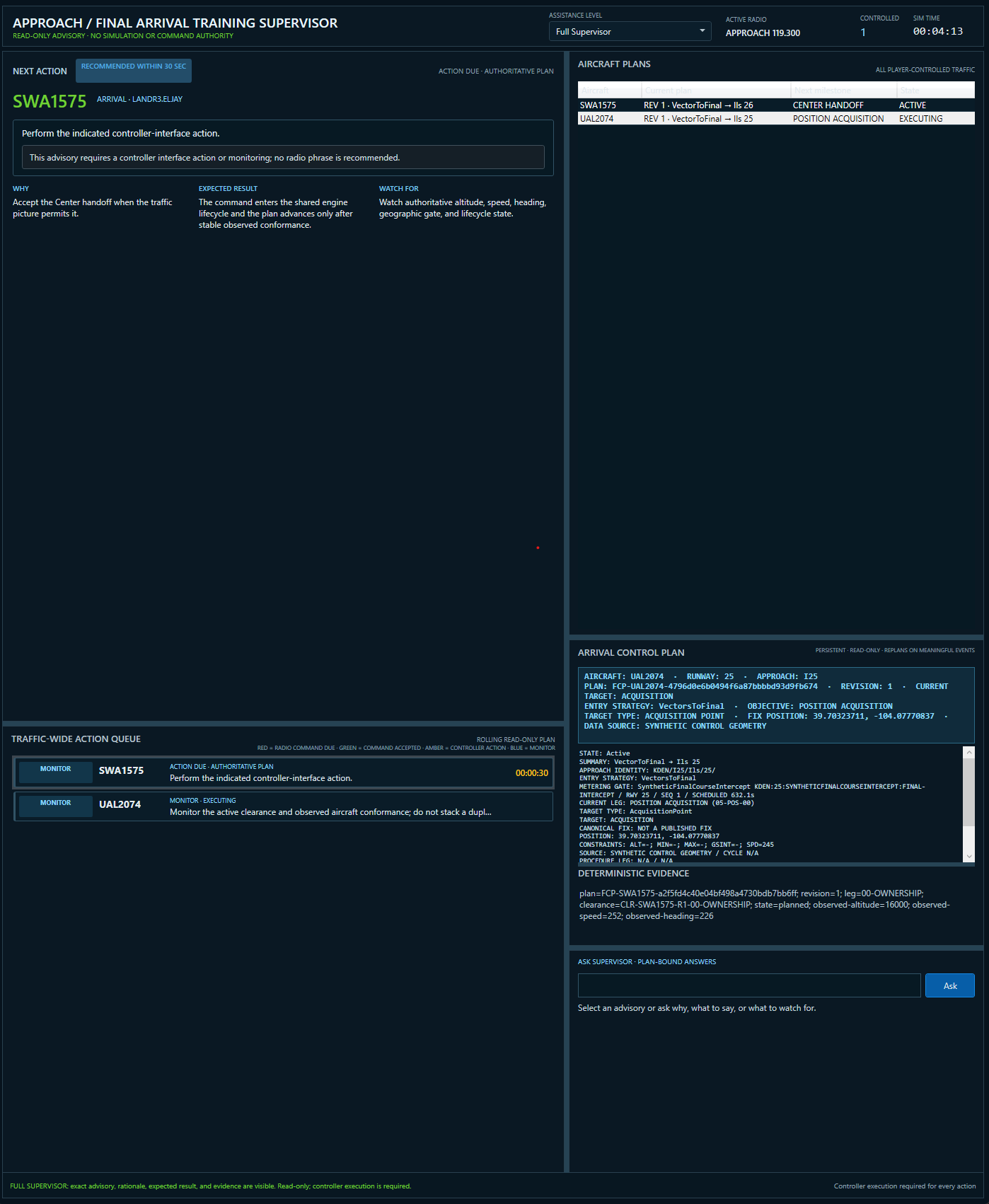
The Training Supervisor is a dedicated instructional workspace, separate from Full AI Controller Mode. It watches the same authoritative Approach/Final plan and explains what should happen next without ever controlling the traffic.
PLAN-AWARE INSTRUCTION
The Training Supervisor follows the shared arrival plan from Center handoff through Tower transfer. It presents actionable instruction while preserving a strict boundary between guidance and controller authority.
CONTROLLER COMMUNICATIONS
Controller instructions can begin with push-to-talk, typed text, or a structured command builder. They pass through the same deterministic command and validation boundary before they affect the simulation.
DEN APP: United four fifty-two, descend and maintain seven thousand, reduce speed to two one zero.
UAL452: Down to seven thousand, speed two ten.
SIMULATION DEPTH
The visible traffic picture is supported by weather, procedure, aircraft, airport, and operational systems working together.
FAA-derived airports, runways, fixes, navaids, airspace, and executable procedure context shape the available operation around the selected airport.
METAR weather establishes wind, visibility, ceiling, flight category, and the active-runway configuration.
Airline, general-aviation, IFR, VFR, primary, and satellite traffic remain operationally distinct.
Deterministic rules evaluate separation, procedure conformance, communication, and evolving operational risk.
Radar, weather, transcript, statistics, scenarios, replay, and rules can move into detachable workspaces.
SCENARIOS + REPLAY
Scenarios can introduce authored traffic, weather changes, equipment failures, radio problems, emergencies, late handoffs, and traffic surges.
Recordings preserve the session as a deterministic event stream so the operation can be reconstructed, replayed, and evaluated afterward.
DEVELOPMENT STATUS
TRACON is an active integration build. The core simulation is operational, but the product is not yet presented as a completed beta or public release.
WINDOWS WORKSTATION
Final public hardware requirements will be established closer to release. The current development baseline targets Windows 11 x64, with GPU-assisted local speech and optional AI capabilities.
TRACON is not approved for operational air traffic control, navigation, flight planning, dispatch, emergency response, or any safety-of-life use.
TRACON FOR WINDOWS