Live ADS-B radar for Windows

Your window into live airspace.

RadarDesk transforms live aircraft data into a focused, ATC-inspired desktop console—with animated weather radar, airport activity, themes, runways, airspace, and aircraft intelligence in one view.

Windows desktop Live NOAA/NWS weather Airport activity at any airport
RADARDESK · LIVE SCOPE LIVE
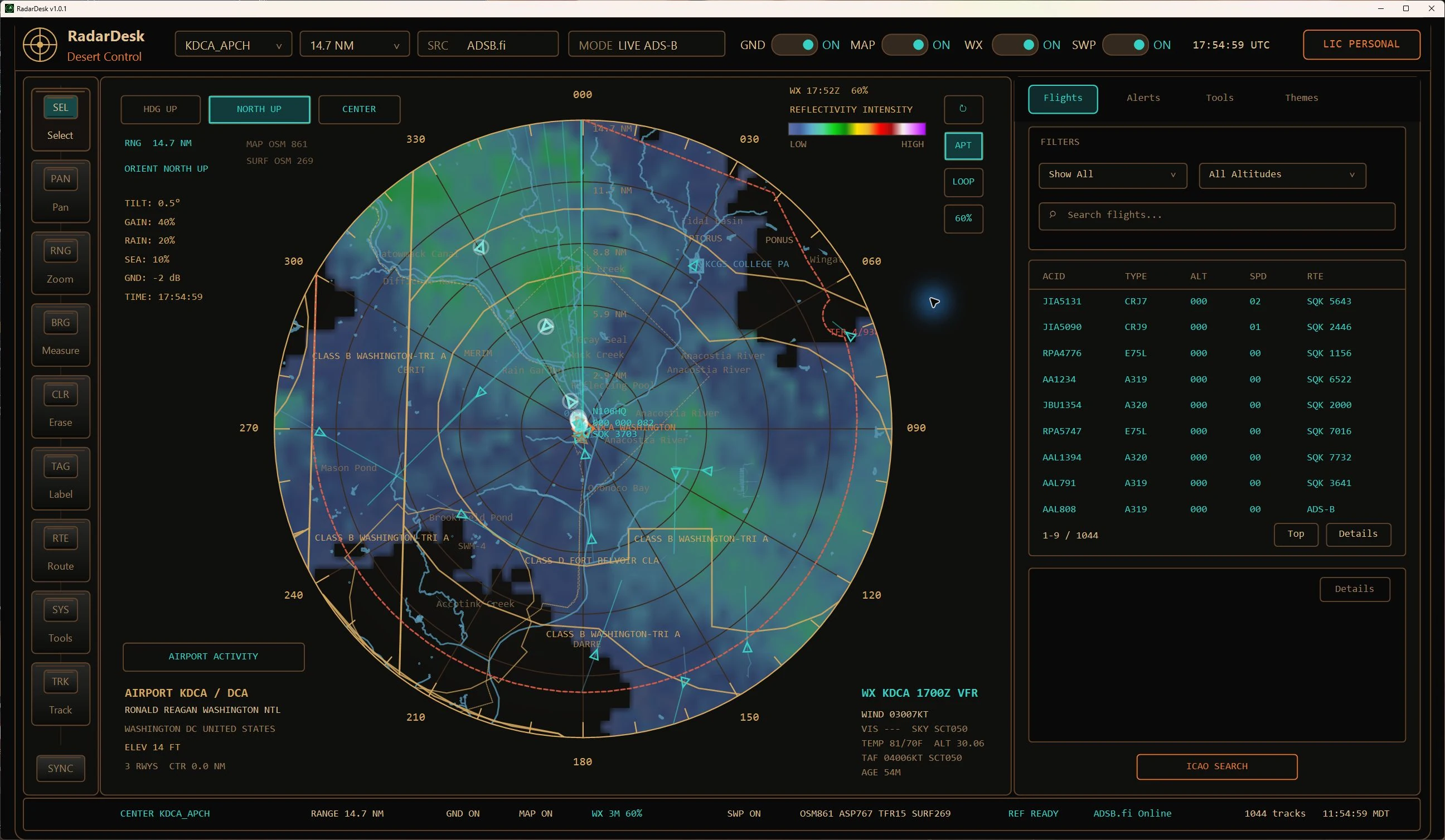
RadarDesk centered on KDCA with live ADS-B aircraft, a NOAA/NWS reflectivity overlay, weather intensity legend, airspace, and a range-sorted flight list.
01Live trafficMultiple ADS-B sources
02Live weather radarNOAA/NWS reflectivity + loop
03Airport activityGround, arrivals, departures
04Complete contextThemes, airspace, TFRs, FAA data

Built for people who want to understand what’s overhead.

Center the scope on an airport, follow a target, inspect a route, check the weather, or explore the airspace around you. RadarDesk keeps the tools close and the radar front and center.

Actual RadarDesk runtime

From live return
to full context.

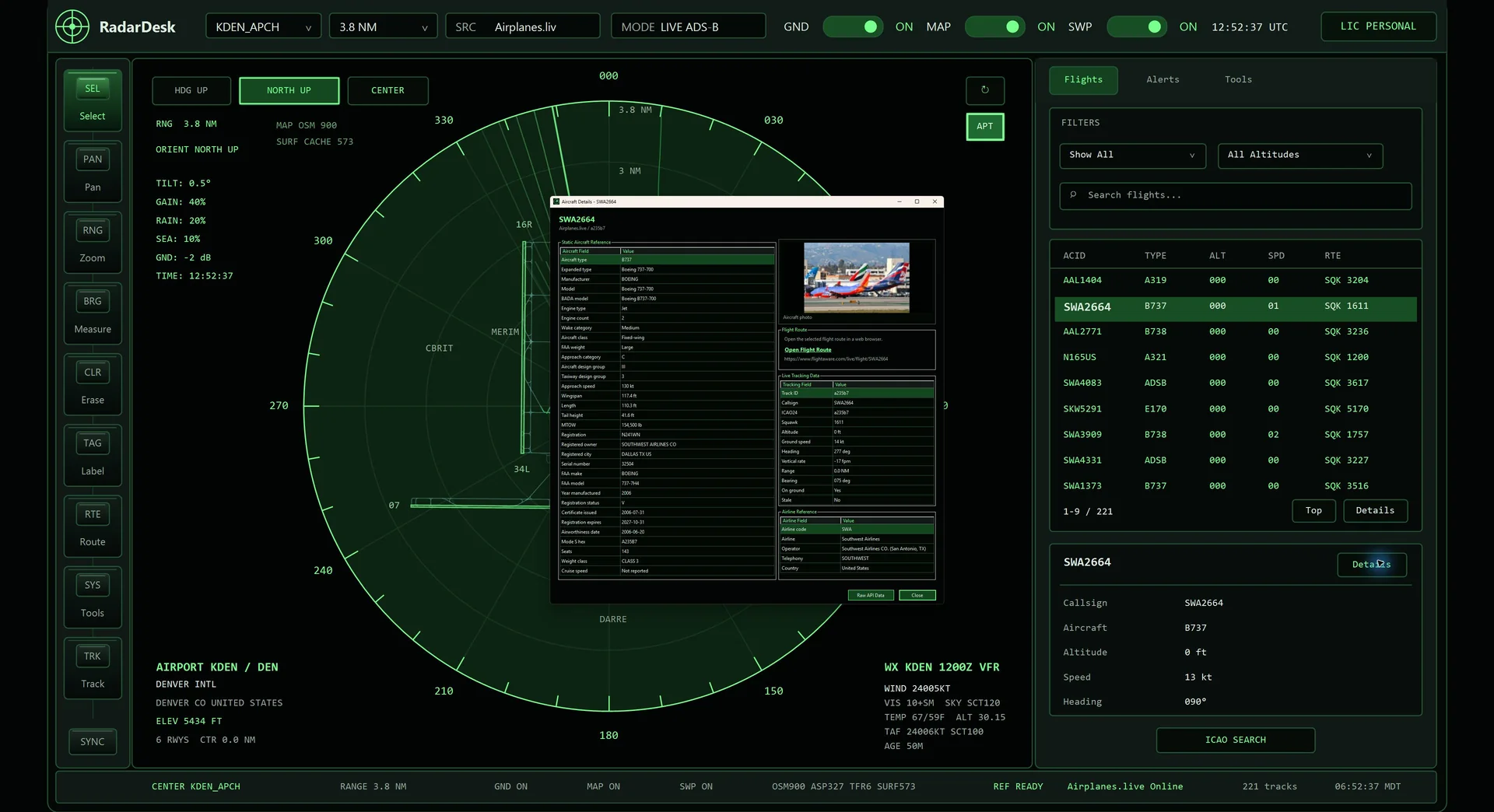
This is RadarDesk running against live Airplanes.live data—not a mockup. Watch the scope update, follow a target, and move from the radar picture into detailed operational information.

35 SEC runtime capture LIVE ADS-B source WIN native desktop app
RADARDESK / LIVE SESSION READY TO PLAY
ACTUAL APP CAPTURE
REC / 2026.07.25 Live traffic around Denver

A real RadarDesk session showing the scope, live targets, airport context, and detail workflows.

  1. 01
    ScanWatch live tracks update
  2. 02
    SelectChoose a target from the scope
  3. 03
    InspectOpen aircraft and weather detail

Built into the console

Everything overhead,
in context.

RadarDesk combines real-time tracking with the airport, weather, map, and reference information that makes every return meaningful.

01 / LIVE

Live aircraft tracking

Follow nearby traffic on a responsive circular scope with smooth zoom, drag panning, range sorting, target trails, projected vectors, and track-follow mode.

  • Traffic and altitude filters
  • Provider health and failover
  • Ground target controls
02 / WX

Live weather on the scope

Overlay smoothed NOAA/NWS radar reflectivity, follow it as it refreshes, or animate recent frames in a loop. A complete intensity legend, adjustable opacity, and current METAR/TAF keep the weather picture readable.

03 / MAP

Runways and airspace

Add runways, taxiways, airport surfaces, map landmarks, FAA airspace classes, and active TFR boundaries without losing sight of the traffic.

04 / AIRPORT

See the airport working in real time.

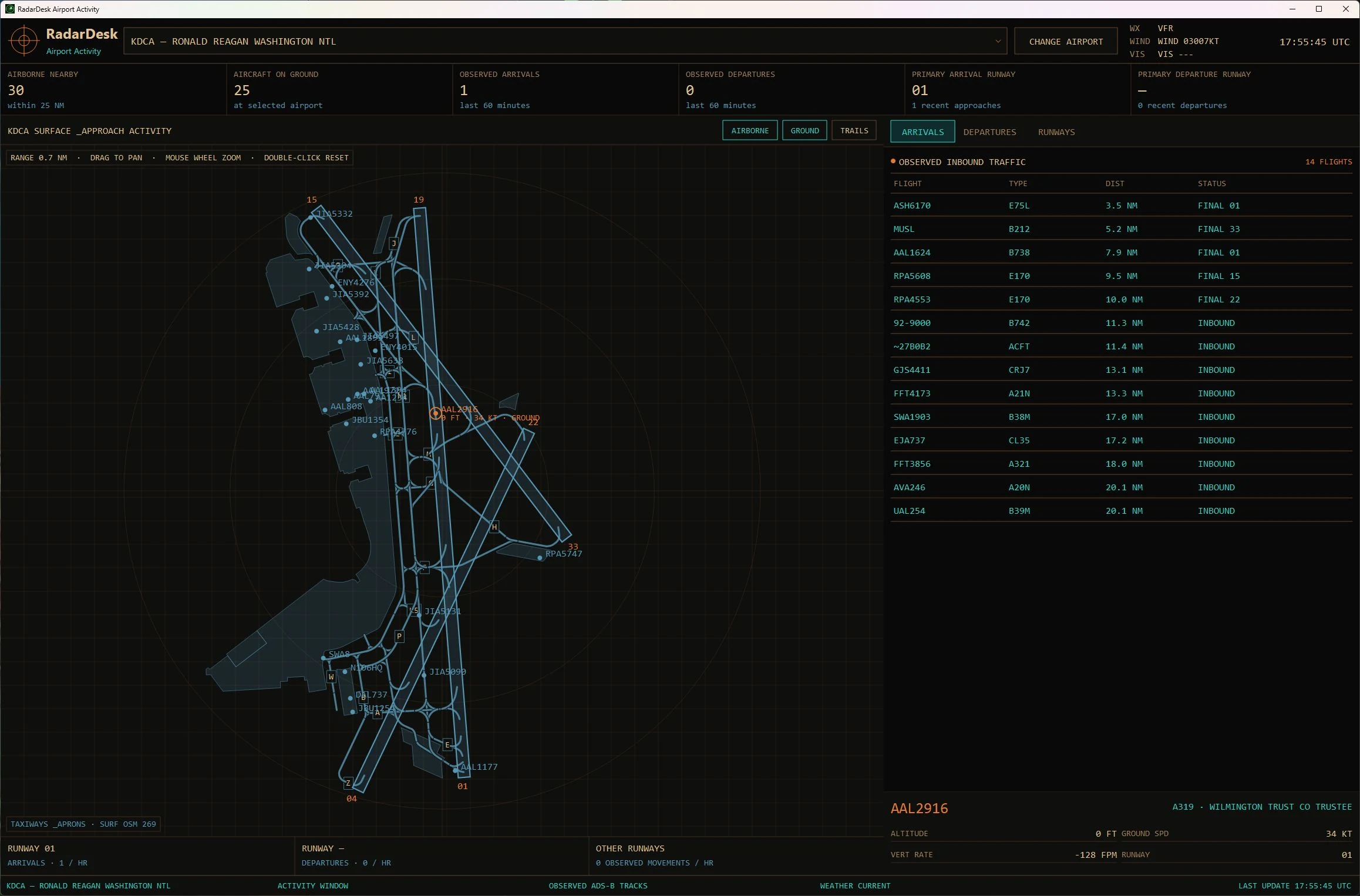
Open a dedicated activity window for any selected airport. Follow airborne and on-ground aircraft across runways, taxiways, and aprons while RadarDesk tracks observed arrivals, departures, runway use, and touch-and-go activity.

05 / INTEL

Know the target behind the track.

Open an aircraft to review live tracking data, registration records, aircraft specifications, airline details, route links, and the raw provider response.

06 / LOCAL

Reference data on hand

Search locally stored FAA airport, runway, aircraft registration, aircraft type, and airline reference records directly from the app.

21 visual themes

Your scope.
Your atmosphere.

Choose from 21 complete visual themes, beginning with Classic Green, without changing how RadarDesk works. Each coordinates the scope, controls, typography, and data accents as one complete system. Three examples from the collection are shown below.

21 THEMES / 03 SHOWN Three samples. One familiar workflow.

Product tour

One console.
Many layers of insight.

RADAR / LIVE VIEW
Current RadarDesk overview showing live aircraft tracks, airport context, and the Flights, Alerts, Tools, and Themes tabs.

Live traffic, centered where you choose.

Set any ICAO-listed airport as your center, adjust the range, and scan live aircraft alongside runways, weather, map vectors, and airspace.

See every layer

The whole console.
Up close.

Eight views. One tightly connected desktop workflow. Select any screen for a closer look.

08Connected product views
360°Scope-centered awareness
LIVETraffic and weather feeds
LOCALFAA reference databases

Scope-first workflow

From airport to aircraft
in three simple moves.

  1. 01

    Choose your center

    Enter an airport code, pick a favorite, or return to a recent location. RadarDesk loads the surrounding context around your scope.

  2. 02

    Shape the view

    Set your range, filter traffic, and toggle the ground, map, runway, airport, airspace, TFR, and sweep layers you want to see.

  3. 03

    Follow the story

    Select a target from the scope or range-sorted list, track it, and open its aircraft, airline, registration, route, and live data details.

Made for the desktop

A real Windows application.
Not another browser tab.

RadarDesk is designed as a focused desktop instrument with persistent preferences, local reference databases, runtime diagnostics, and a resizable console built around the radar scope.

PLATFORMWindows desktop
DATAInternet connection for live services
INPUTMouse, keyboard, or touchpad
USEInformational and entertainment

Good to know

Frequently asked
questions.

What is RadarDesk?

RadarDesk is a themeable Windows desktop ADS-B radar console. It presents live nearby aircraft on an ATC-inspired scope and adds animated NOAA/NWS weather radar, a dedicated Airport Activity view, runways, maps, airspace, TFRs, and local FAA reference data.

Where does the live aircraft data come from?

RadarDesk supports multiple live ADS-B sources, including Airplanes.live, ADSB.fi, and OpenSky. Provider availability, coverage, delay, and completeness can vary by location and service.

Can I center the radar on any airport?

You can select airports from RadarDesk’s reference data by code or search, save favorites, and quickly return to recent locations. The Airport Activity view can then show the field layout and organize ground, arriving, departing, and inbound traffic around that airport. Available detail varies by source.

How does the live weather radar work?

RadarDesk can overlay animated NOAA/NWS base-reflectivity radar frames on the scope, with a color legend and playback controls. Weather availability and freshness depend on NOAA/NWS services and your internet connection.

What does Airport Activity track?

The dedicated Airport Activity view combines the airport diagram with aircraft on the ground, arrivals, departures, and inbound traffic so you can follow activity around the field in one place.

Does RadarDesk work without an internet connection?

Local reference databases and saved preferences remain on your computer, but live aircraft, weather, map, geocoding, and refreshed FAA data require an internet connection.

Can I use RadarDesk for flight safety or air traffic control?

No. RadarDesk is for informational and entertainment use only. It must not be used for navigation, collision avoidance, operational ATC, dispatch, emergency response, or any safety-critical aviation decision.

RadarDesk for Windows

Bring the airspace
to your desktop.

Live traffic. Animated weather. Airport activity.
One focused console.

Get it from Microsoft